GoScope: Exploring and Navigating Go Projects
I often want to quickly analyze a Go project to understand where functions, variables, and types are defined or called. That’s why I created two command-line tools: GoScope and rgs. The first scans every .go file in a project, producing a list of definitions and function calls. The second uses that list to let me navigate interactively to the exact spot in the code.
GoScope
GoScope walks through all .go files recursively starting from the current directory. It prints:
- Declared functions, variables, constants, and types, along with the file and line.
- Function calls in the format
Caller.Called file:line.
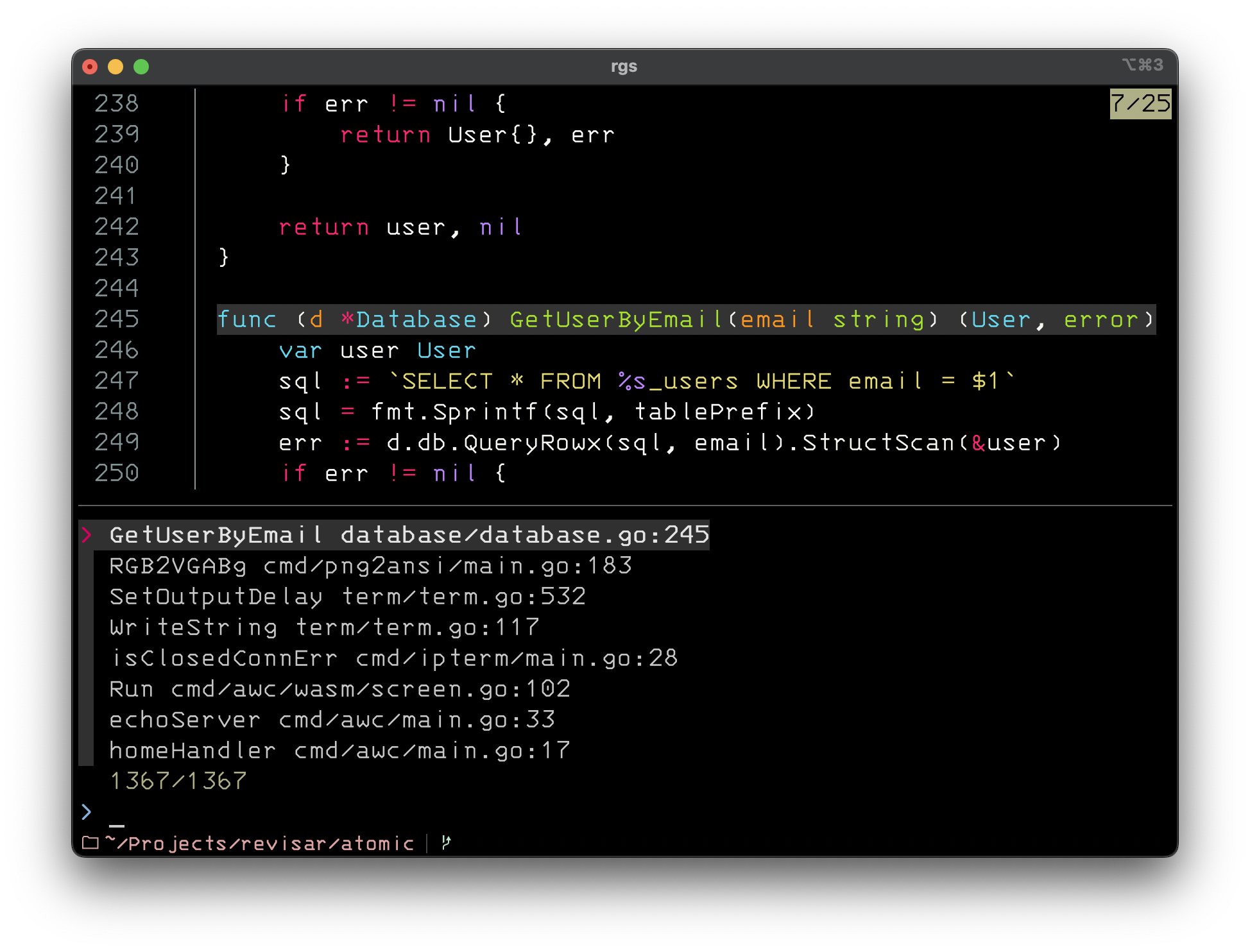
Usage is simple:
cd /path/to/your/project
goscope
No parameters are needed. It always scans the current directory and subdirectories looking for Go definitions. This makes life easier in large projects, since you don’t have to point to each subfolder or file manually.
Example Output
Suppose a main.go file with this content:
package main

import "fmt"

func main() {
    fmt.Println("Hello World")
    PrintNumber(42)
}

func PrintNumber(n int) {
    fmt.Printf("Number: %d\n", n)
}
Running goscope, you may see something like:
main main.go:5
PrintNumber main.go:10
main.Println main.go:6
main.PrintNumber main.go:7
PrintNumber.Printf main.go:11
This helps you understand where each function is declared and where it is called.
rgs
rgs is a script built on top of GoScope. It does the following:
- Runs
goscopeto collect definitions and calls. - Uses fzf to create an interactive filter.
- When you select an item, it opens the file at the corresponding line, using the editor set in
$EDITOR.
To use it:
rgs
Type part of a function or variable name, pick the result, and press Enter. You’ll be taken directly to the exact location in the code. It’s handy when there are hundreds of functions spread across multiple files.
The rgs script
#!/usr/bin/env bash

RCS_CMD="goscope"
INITIAL_QUERY="${*:-}"

selected=$(FZF_DEFAULT_COMMAND=$RCS_CMD \
    fzf --ansi \
        --bind "change:reload:sleep 0.1; $RCS_CMD || true" \
        --delimiter ' ' \
        --preview 'file=$(echo {2} | cut -d":" -f1); \
line=$(echo {2} | cut -d":" -f2); \
# Compute the line range: 10 lines above (if possible) and 10 below.
start=$(( line > 10 ? line - 10 : 1 )); \
end=$(( line + 10 )); \
bat --color=always --highlight-line "$line" --line-range "$start:$end" "$file"' \
        --preview-window 'up,60%,border-bottom' \
        --query "$INITIAL_QUERY")

if [ -n "$selected" ]; then
    IFS=' ' read -r function file_line <<< "$selected"
    file="${file_line%%:*}"
    line="${file_line#*:}"
    $EDITOR "$file" "+$line"
    echo "$file +$line"
fi
This script is just an example. You can customize it for your own workflow.
Installation
Building GoScope:
go build -o goscope
mv goscope /usr/local/bin/
Installing rgs:
chmod +x rgs
cp rgs /usr/local/bin/
After that, running goscope or rgs should work from anywhere.
Conclusion
GoScope and rgs make maintaining large Go projects easier by providing a clear view of where each element is located and how it is called. This approach is very useful on large teams, since it helps onboard new members and speeds up bug fixes.
Video with a detailed explanation: